
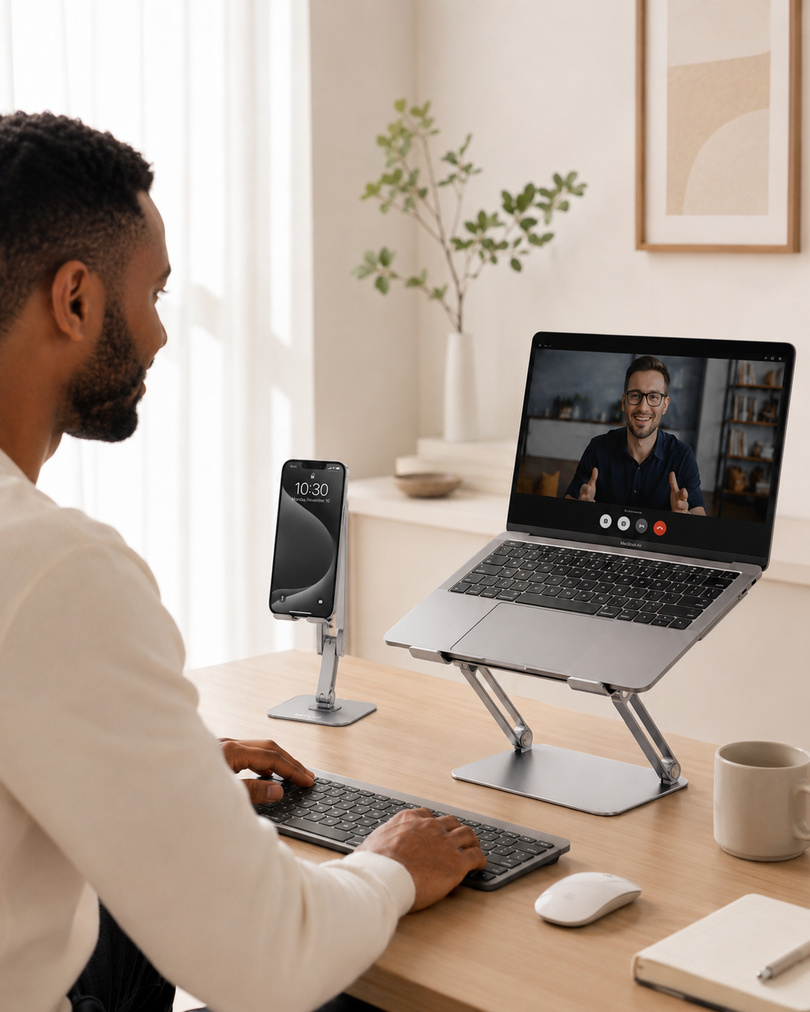



If you spend hours on Zoom, Microsoft Teams, or other video calls, your laptop position can make a noticeable difference.
When a laptop sits flat on a desk, the built-in webcam is usually below eye level. This can create an awkward upward camera angle and encourage you to look down or lean forward during meetings.

A good laptop stand helps raise the screen and webcam to a more natural position, creating a cleaner video call setup and a more comfortable workspace.
Why Use a Laptop Stand for Video Calls?
A laptop stand does more than organize your desk. By raising your laptop, it can improve both your camera position and everyday viewing comfort.
Key benefits include:
• Brings the built-in webcam closer to eye level
• Creates a more natural camera angle
• Reduces the need to constantly look down
• Keeps your laptop stable during meetings
• Creates a cleaner, more organized workspace
For remote work, online classes, or frequent video meetings, these small adjustments can make a noticeable difference.
What Is the Best Laptop Height for Video Calls?
For most people, the built-in webcam should be positioned around eye level or slightly above it. This creates a more natural face-to-face view and helps you maintain a comfortable sitting position.
For a better setup:
1. Sit in your normal working position and raise the laptop until the webcam is close to eye level.
2. Keep the laptop directly in front of you and adjust the screen until your face is naturally centered.
3. Make sure your head and upper shoulders fit comfortably within the frame.
4. Place your main light source in front of you and avoid bright windows directly behind you.
You don't need to raise your laptop as high as possible. The goal is to find a position where you can look at the screen naturally without repeatedly lowering or lifting your head.
If your laptop is raised significantly, using an external keyboard and mouse can also make typing more comfortable.
What to Look for in a Laptop Stand for Video Calls
When choosing an adjustable laptop stand for video calls and everyday work, focus on a few practical features:
• Adjustable height and angle for different desk setups
• Stable support to keep your laptop secure
• Protective pads to reduce slipping and scratching
• Foldable construction for easier storage
• Rotation if you frequently share your screen with others
With these features in mind, here are two Lamicall laptop stands for different working styles.
Simple & Practical: LAM-LN09-Silver
Lamicall Adjustable Laptop Stand
The LAM-LN09-Silver is a straightforward choice for everyday work and video meetings.
Designed for laptops from 10 to 17.3 inches, its adjustable design helps raise your laptop screen and built-in webcam to a more comfortable viewing position.
Why choose it?
• Supports 10–17.3-inch laptops
• Adjustable up to 90° for flexible viewing
• Sturdy aluminum construction
• Stable support for everyday desk use
• Foldable for easier storage and portability
It’s a practical option for home offices, remote work, online classes, and anyone who wants a simple way to improve their laptop setup.
More Flexible: LAM-STDL04-Silver
Lamicall Adjustable Laptop Desk Stand, Foldable and 360° Rotating
If you want more flexibility from your workspace, the LAM-STDL04-Silver adds a 360° rotating base.
It supports laptops from 10 to 17.3 inches and combines adjustable positioning with the ability to rotate your laptop without moving the entire stand.
Why choose it?
• Supports 10–17.3-inch laptops
• 90° adjustable design
• 360° rotating base
• Sturdy Z-shaped aluminum structure
• Protective anti-slip pads
• Foldable design
The rotating base is especially useful during meetings and collaborative work. You can easily turn the laptop toward a colleague or someone sitting beside you without lifting and repositioning the entire setup.
LAM-LN09 vs. LAM-STDL04: Which Is Right for You?
LAM-LN09-Silver
• Best for: Everyday work and video calls
• Laptop size: 10–17.3 inches
• Highlights: Adjustable, stable, foldable
• Choose it if: You want a simple and practical laptop stand
LAM-STDL04-Silver
• Best for: Video calls and flexible workspaces
• Laptop size: 10–17.3 inches
• Highlights: Adjustable, foldable, 360° rotating base
• Choose it if: You frequently share or rotate your laptop screen
A better video call setup doesn’t necessarily require a separate webcam or complicated equipment. Sometimes, simply raising your laptop is enough to improve the camera angle and make your workspace more comfortable.
The right laptop stand helps keep your screen comfortable, your webcam better positioned, and your desk ready for the next call.