



A phone stand looks like a small desk accessory, but once you start using one every day, it quickly becomes one of those simple tools that makes your routine feel easier.
Whether you are watching videos, joining video calls, following a recipe, taking online classes, livestreaming, or keeping your phone visible beside your laptop, the right adjustable phone stand can make your screen easier to view and your workspace feel more organized.
But not all phone stands are the same. Some are too low. Some tip over easily. Some are not friendly to thick phone cases. Others are portable, but not stable enough for daily use.
This guide explains what to look for in a good phone stand for desk use, travel, work, and everyday hands-free viewing.
Quick Answer: What Makes a Good Adjustable Phone Stand?
A good adjustable phone stand should let you raise your phone to a more comfortable height, tilt the screen to the right angle, hold your device steadily, and fold down easily when you need to carry it. It should also support your phone with its everyday case, not only a bare phone.
For most people, the best choice is a stand that combines height adjustment, angle adjustment, a stable base, anti-slip protection, and portable folding design.
Why an Adjustable Phone Stand Is Better Than Laying Your Phone Flat
Most people place their phone flat on a desk, table, or nightstand without thinking about it. The problem is that this forces you to keep looking down.
Over time, this can make video calls less comfortable, make reading messages harder, and clutter your workspace because your phone is always sliding around or hiding under papers, cables, and notebooks.
A desk phone holder solves this in a simple way: it gives your phone a dedicated place and raises the screen closer to your natural eye level.
That makes everyday tasks easier, including:
-
Checking notifications while working
-
Watching videos hands-free
-
Taking video calls
-
Following cooking instructions
-
Reading messages beside your laptop
-
Using your phone as a small second screen
-
Charging your phone while keeping it visible
The goal is not to turn a phone stand into a complicated gadget. The real value is convenience: your phone stays visible, stable, and easier to use.
1. Look for Height and Angle Adjustment
The biggest advantage of an adjustable phone stand is flexibility.
A fixed stand may work for one desk or one viewing position, but it can feel awkward when you move from a work desk to a kitchen counter, bedside table, coffee shop, or hotel room.
A better stand lets you adjust both height and angle. Height adjustment helps reduce the need to constantly look down, while angle adjustment helps you avoid glare and find a more comfortable viewing position.
This is especially useful for:
-
Zoom or FaceTime calls
-
Online classes
-
Watching YouTube or TikTok
-
Livestreaming
-
Reading recipes
-
Following workout videos
-
Working beside a laptop
If you often use your phone in different places, an adjustable phone stand gives you more control than a basic fixed holder.
2. Choose a Stable Base, Not Just a Pretty Design
A phone stand should look clean on your desk, but stability matters more than appearance.
A lightweight stand can wobble when you tap the screen. It may also shift when you place a larger phone on it, especially if your phone has a thick case.
A stable phone stand usually has a weighted base or a low-center structure that helps keep the phone steady. This matters when you are typing, swiping, joining calls, or using a larger smartphone.
A stable base is especially important if you use:
-
Large-screen phones
-
Thick protective cases
-
Pop-style grips or magnetic rings
-
Small tablets or compact devices
-
Your phone while charging
The stand should feel solid enough for daily use, not something you have to adjust every few minutes.
3. Make Sure It Works with Thick Phone Cases
Many people forget this part.
A phone stand may claim to fit your phone, but that does not always mean it fits your phone with the case on. If you use a protective case, wallet case, magnetic case, or thicker shockproof case, the holder needs enough room to support that thickness.
This is why case-friendly design is important. The support hooks should be deep enough, and the backrest should hold the device securely without forcing you to remove the case every time.
A practical cell phone stand should fit into your real routine. You should be able to place your phone on it quickly, use it, and pick it up again without changing your setup.
4. Anti-Slip and Anti-Scratch Details Matter
The best phone accessories are often defined by small details.
Silicone pads, anti-slip feet, and smooth contact points may not sound exciting, but they make the stand feel safer and more comfortable to use every day.
These details help:
-
Reduce sliding
-
Protect the phone from scratches
-
Keep the device more stable
-
Prevent harsh contact between the phone and hard surfaces
This is especially useful if you often place your phone on and off the stand throughout the day.
5. Pick a Foldable Phone Stand If You Travel or Work Remotely
If you only use your phone stand at one desk, portability may not matter much. But if you work from different places, travel for business, study at school, or move between home and office, a foldable phone stand is much more practical.
A foldable design makes it easier to put the stand into a backpack, handbag, suitcase, or desk drawer. It also helps keep your workspace clean when you are not using it.
A foldable phone stand is especially useful for:
-
Business trips
-
Remote work
-
College dorms
-
Coffee shop work sessions
-
Hotel rooms
-
Small desks
-
Shared workspaces
The key is finding a stand that folds down easily but still feels stable when opened.
6. Check Device Compatibility Before Buying
Before choosing a portable phone holder, always check the supported device size.
A good universal stand should work with common smartphones and some smaller devices, but there are still limits. If your device is too large, too thick, or too heavy, the stand may not perform as expected.
For most everyday users, compatibility with 4–8 inch devices is a strong range because it covers many smartphones and compact devices. It is also helpful if the stand can support devices with thicker cases.
Before buying, check:
-
Your phone size
-
Your case thickness
-
Whether you use a grip, ring, or wallet case
-
Whether you want to use the stand with a small tablet
-
Whether you need charging cable clearance
These details help avoid the common problem of buying a stand that looks good online but does not fit your actual device setup.
Best Everyday Uses for a Desk Phone Holder
For Work and Productivity
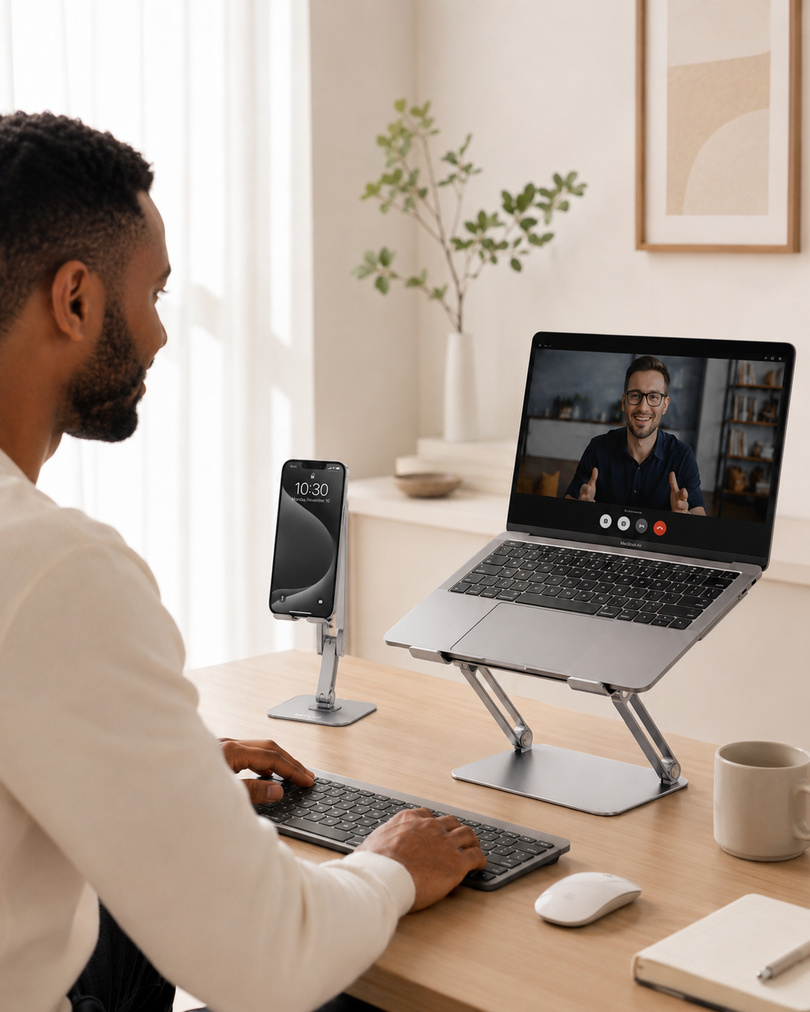
A phone stand keeps your screen visible beside your laptop or monitor. This makes it easier to check messages, take calls, use two-factor authentication, or follow notes without constantly picking up your phone.
It also helps reduce desk clutter because your phone has a fixed place instead of moving around your workspace.
For Video Calls
For video calls, height and angle adjustment are especially helpful. A better screen position can make the camera angle look more natural and reduce the awkward “looking down at the phone” effect.
This is useful for work meetings, online classes, family calls, interviews, and livestreams.
For Watching Videos
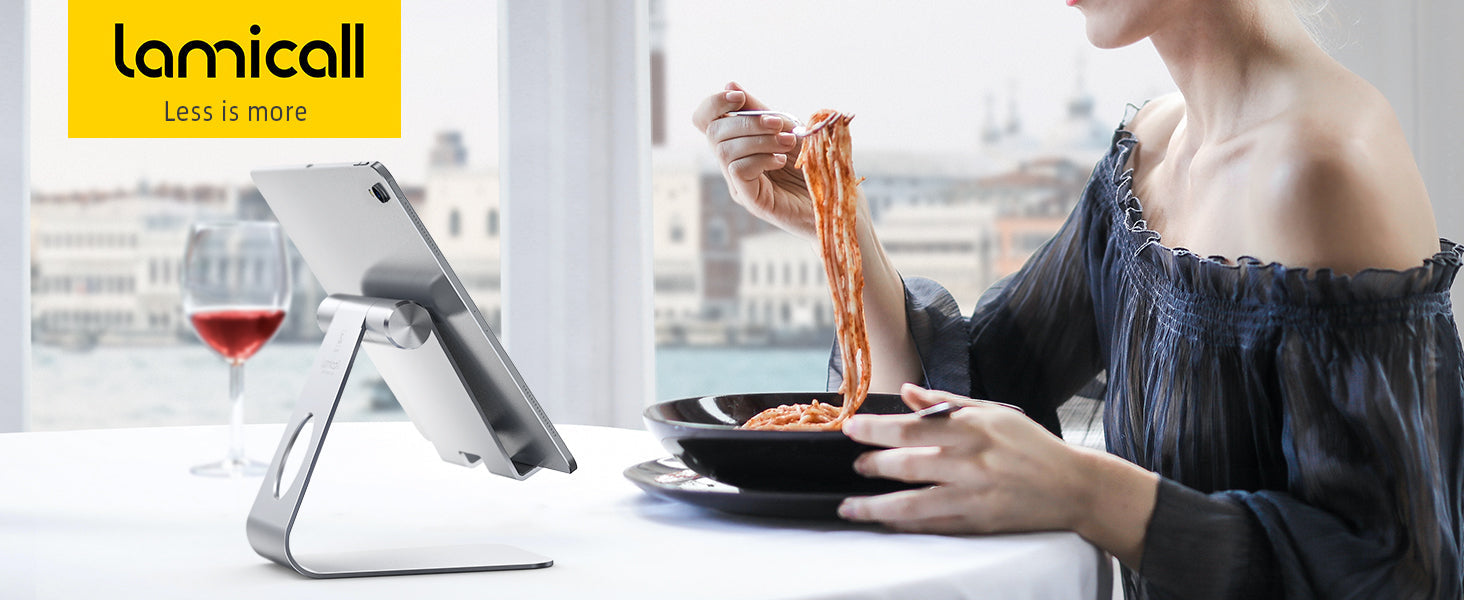
A stand makes hands-free viewing much easier. Instead of leaning your phone against a cup, keyboard, book, or random object, you can set it at a stable angle and watch comfortably.
This is useful for short videos, movies, tutorials, workout content, and entertainment during breaks.
For Cooking
A phone stand is also useful in the kitchen. You can follow recipes, watch cooking videos, or check timers while keeping your phone upright and easier to see.
For kitchen use, a stable base and easy angle adjustment are more important than a fancy design.
For Travel
When traveling, a portable phone holder can turn almost any surface into a small viewing setup. You can use it in a hotel room, airport lounge, train, office, or temporary workspace.
This is where a foldable, lightweight, and case-friendly design becomes especially valuable.
Where Lamicall Fits Into This Type of Setup
Lamicall’s height-adjustable and foldable phone holder is designed for people who want a simple, practical stand for daily use without making their desk setup complicated.
It supports height and angle adjustment, folds down for travel, uses a stable weighted base, and fits 4–8 inch devices. It is also designed to accommodate phones with thick cases up to 0.71 inches, which makes it more useful for people who do not want to remove their case every time they use a stand.
Instead of treating it as a flashy tech accessory, it is better to see it as a small everyday upgrade: a cleaner place for your phone, a better viewing angle, and a more comfortable hands-free setup.
For anyone building a more organized workspace, a phone stand for desk is one of the easiest accessories to add.
Buying Checklist: What to Look for in a Phone Stand
Before choosing a phone stand, ask these questions:
-
Can the height be adjusted?
-
Can the viewing angle be changed?
-
Is the base stable enough for daily use?
-
Does it support your phone with its case on?
-
Are there anti-slip or anti-scratch pads?
-
Can it fold down for travel or storage?
-
Does it fit your phone size?
-
Can you charge your phone while it is on the stand?
-
Does it look clean enough for your desk setup?
If a stand checks most of these boxes, it is more likely to work well in real daily use.
Is an Adjustable Phone Stand Worth It?
Yes, for most people.
An adjustable phone stand is not expensive, complicated, or difficult to use, but it can make everyday phone use more comfortable. It helps keep your phone visible, reduces the need to constantly hold it, improves video call positioning, and makes your desk feel more organized.
If you use your phone while working, studying, cooking, traveling, or watching content, a stable and portable stand is a small upgrade that you will probably use every day.
FAQ
What is the best phone stand for desk use?
The best phone stand for desk use should have adjustable height, adjustable angle, a stable base, anti-slip protection, and enough space to hold your phone with its case on. A foldable design is also useful if you want to carry it between home, office, and travel.
Is a foldable phone stand stable enough?
A foldable phone stand can be stable if it has a weighted base, strong hinge structure, and proper phone support. The key is choosing one that balances portability with a secure desktop design.
Can I use a phone stand with a thick phone case?
Yes, but you need to check the stand’s case compatibility. Some stands only fit slim phones, while others are designed to support thicker cases. Always check the maximum case thickness before buying.
Is an adjustable phone stand good for video calls?
Yes. Height and angle adjustment can help position your phone camera more naturally during video calls, online classes, livestreams, and remote meetings.
Can a phone stand hold small tablets?
Some phone stands can hold small tablets or compact devices, but it depends on the supported size range and device weight. Always check the product’s compatibility range before using it with a tablet.
Why should I use a phone stand instead of holding my phone?
A phone stand frees your hands, keeps your phone at a more comfortable viewing angle, helps reduce desk clutter, and makes activities like watching videos, video calling, cooking, and working more convenient.